Tầng 8, Tòa nhà Sannam, số 78 Phố Duy Tân, P.Dịch Vọng Hậu, Q. Cầu Giấy, Tp. Hà Nội, Việt Nam

Advisory
Direct: 0904565626
Advisory
Direct: 0904565626
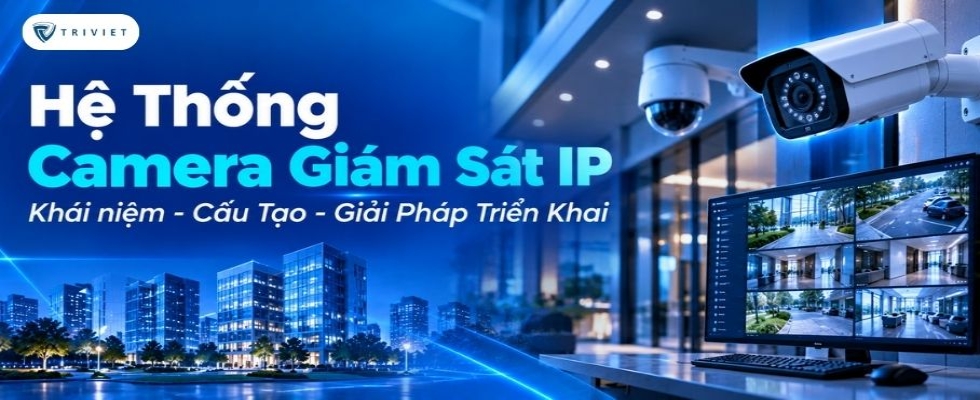
Learn about IP camera surveillance systems, their components, including cameras, NVRs, PoE switches, and VMS software, and suitable deployment solutions for different buildings.
In buildings, offices, hotels, and industrial parks, video surveillance increasingly requires the ability to manage multiple areas through a single platform. An IP camera surveillance system uses network infrastructure to transmit video data, supporting recording, storage, and footage retrieval. For effective deployment, it is essential to understand the system's components, operating principles, and technical requirements.
An IP camera surveillance system is a video surveillance system that uses Internet Protocol cameras (IP cameras) to capture, encode, and transmit video data over an IP network. Video from the cameras can be sent to a Network Video Recorder (NVR), server, or video management software for display and storage.
A complete system typically includes IP cameras, networking equipment, transmission infrastructure, storage devices, and management software. These components work together to record video, transmit data, and help operators monitor designated areas.
Unlike traditional analog cameras that transmit video signals through coaxial cables, IP cameras transmit data in packets over a network. This makes it easier to connect multiple devices, organize systems by area, and expand surveillance capacity.
It is important to note that IP cameras do not require an Internet connection to operate. The system can function entirely within an internal Local Area Network (LAN). An Internet connection is only necessary for remote access or services that require external connectivity.
To deploy an IP camera surveillance system, equipment must be selected to work together according to recording, data transmission, and management requirements. Each component performs a specific function during system operation.
IP cameras directly capture images in monitored areas. Data from the image sensor is processed, encoded, and transmitted through a network interface to recording equipment or management software.
Common camera types include:
Dome cameras: Feature a dome-shaped design and are commonly installed in lobbies, corridors, and indoor areas.
Bullet cameras: Feature a cylindrical design and are suitable for locations requiring surveillance in a specific direction.
PTZ cameras: Support pan, tilt, and zoom control within the capabilities of the device.
When selecting cameras, it is necessary to consider resolution, lens focal length, field of view, low-light performance, and environmental protection ratings.
For outdoor areas, the equipment must withstand the temperature, humidity, dust, and water exposure conditions at the installation location.
.jpg)
A network switch connects cameras to the network infrastructure, allowing data transmission to NVRs, servers, or other management components.
In IP camera systems, Power over Ethernet (PoE) switches are commonly used to transmit data and supply electrical power through the same Ethernet cable when the cameras support this technology.
When selecting a PoE switch, check:
Number of connection ports.
Supported PoE standards.
Power output per port.
Total PoE power budget of the switch.
Switching bandwidth and uplink port speeds.
For example, when connecting multiple cameras with different power consumption levels, the total required power must remain within the switch's PoE power budget.
Additionally, transmission distances over copper Ethernet cables must be calculated according to the applicable standards and equipment specifications. Longer connections may require fiber-optic cabling, intermediate switches, or suitable extension devices.
An NVR (Network Video Recorder) is a recording device used in many IP camera surveillance systems. It receives video streams over the network and stores data according to its configuration.
Common NVR functions include:
Receiving video streams from compatible cameras.
Recording continuously or according to schedules.
Managing camera channels.
Supporting live viewing and recorded video playback.
Managing hard drives and retention periods.
For large-scale systems, video data may be stored on servers or centralized storage systems, depending on the deployment architecture.
The choice between an NVR and a storage server should be based on the number of cameras, recording bandwidth, retention period, and expansion requirements.
VMS (Video Management System) is software used to manage, display, and utilize video data from surveillance camera systems.
Depending on the platform, VMS software may support:
Live viewing from multiple cameras.
Playback and searching of recorded video.
Camera management by area.
User account configuration and access permissions.
Receiving supported events or alarms.
Managing multiple servers or surveillance locations.
In facilities with large numbers of cameras, VMS provides a centralized surveillance interface, reducing the need to access individual recording devices separately.
Compatibility between cameras, NVRs, and VMS software should be verified based on communication protocols, software versions, and supported device lists.
In addition to the main equipment, an IP camera surveillance system requires suitable transmission infrastructure and power supplies.
Components may include:
Ethernet and fiber-optic cables.
Network switches and routers.
Optical modules and signal converters.
Network cabinets, patch panels, and connection accessories.
Uninterruptible Power Supply (UPS) systems.
Surge protection and power protection devices as required.
The infrastructure should be designed according to installation distances, the number of cameras, environmental conditions, and requirements for maintaining operation during power failures.
(1).jpg)
An IP camera surveillance system operates by capturing images, encoding video data, transmitting it over a network, and storing it on recording equipment. Authorized operators can access the data through the appropriate interface.
Cameras use image sensors to capture light from the monitored area. The data is then processed and encoded into a video stream.
Depending on the device, cameras may support compression standards such as H.264 or H.265 to reduce data size compared with uncompressed video.
Image quality and transmission data volume depend on various parameters, including resolution, frame rate, bitrate, codec, and scene complexity.
After encoding, the video stream is transmitted through Ethernet or a compatible network connection to an NVR, VMS server, or another receiving device.
Within a LAN, cameras are typically configured with IP addresses and connection parameters suitable for the network architecture.
Video data can be transmitted using protocols and streaming methods supported by the equipment. Configuration must ensure compatibility between cameras and the recording system.
In multi-story buildings or facilities with multiple areas, data may pass through several switches before reaching the centralized storage system.
An NVR or recording server receives video streams and stores them according to the configured schedule or recording mode.
Common recording modes include:
Continuous recording.
Scheduled recording.
Event-based recording when supported by the system.
When footage needs to be reviewed, operators can retrieve recordings by time, camera, or event.
The actual retention period depends on hard drive capacity, bitrate, number of cameras, and recording mode.
Through an NVR or VMS software, operators can view live footage and retrieve recordings from cameras they are authorized to access.
Depending on the platform, the interface may support simultaneous display of multiple cameras, area layouts, event searches, and user account management.
The basic system operating flow is:
IP Cameras → PoE Switch/LAN → NVR or VMS Server → Storage System → Surveillance Interface
The actual architecture may vary depending on the solution. Some systems use NVRs with integrated storage, while others use separate recording servers and storage devices.
(1).jpg)
Thanks to network-based data transmission and centralized management capabilities, IP camera systems can be deployed in various types of facilities. Camera locations and equipment configurations should be determined according to actual surveillance objectives.
In office buildings, cameras are commonly installed in lobbies, corridors, entrances and exits, basements, and other shared areas requiring surveillance.
In shopping centers, the system can be organized by floor or functional area for easier management.
Camera selection should consider pedestrian traffic density, lighting conditions, and surveillance objectives at each location.
In hotels, IP cameras are commonly used at reception areas, lobbies, shared corridors, parking areas, and appropriate entrances and exits.
The system helps security personnel monitor public areas and retrieve footage when incidents require investigation.
Camera placement must protect guest privacy. Cameras must not be installed in bedrooms, bathrooms, or private spaces where surveillance is not permitted.
In factories, IP camera surveillance systems can be deployed at entrances, warehouses, production areas, and locations requiring security management.
Because installation environments may involve dust, humidity, or high temperatures, equipment must be selected according to actual environmental conditions.
In large areas, fixed cameras and PTZ cameras can be combined to meet different surveillance objectives.
In apartment buildings and urban developments, IP cameras may be installed at entrances, corridors, basements, public areas, and locations specified in the security design.
The system can be divided by building and then connected to a shared surveillance center.
This arrangement allows management teams to monitor multiple areas while making future camera expansion more convenient.
(1).jpg)
Not every project requires the same IP camera architecture. Deployment scale directly affects equipment placement, network infrastructure, storage systems, and management software.
For small offices, retail stores, or facilities with limited surveillance areas, the system may use IP cameras connected to PoE switches and an NVR.
The configuration typically focuses on:
An appropriate number of cameras for the monitored areas.
An NVR with sufficient channels and recording bandwidth.
Hard drive capacity based on the required retention period.
A simple live-viewing and playback interface.
The solution should prioritize stable operation, ease of use, and convenient maintenance.
For office buildings, hotels, or factories with multiple areas, an IP camera surveillance system should be organized by floor or equipment group.
Access switches can connect cameras in each area and transmit data to the recording system through the internal network.
Important design considerations include:
Number of cameras connected to each switch.
Uplink bandwidth.
PoE power capacity.
Simultaneous recording capability.
Storage capacity.
Number of users viewing video simultaneously.
Dividing the system by area makes management easier and helps identify equipment locations during maintenance.
For urban developments, industrial parks, or complexes containing multiple buildings, the system may include hundreds or more cameras connected through network infrastructure.
In such cases, transmission, recording, and management architectures must be designed to match the actual scale.
The solution may use VMS software to manage multiple cameras, servers, and locations on a single platform.
Important factors to consider include:
Hierarchical network architecture.
Fiber-optic connections between areas.
Video transmission bandwidth allocation.
Centralized or distributed storage.
Equipment and transmission link redundancy.
User account management and access security.
The architecture should be selected based on surveillance requirements, system availability, and investment budget.
(1).jpg)
A camera system may use high-quality equipment but still fail to meet requirements if installation locations, transmission networks, or storage capacity are not properly planned.
Resolution is an important parameter, but it is not the only factor determining image quality.
When selecting cameras, surveillance objectives should be identified:
Monitoring an overall area.
Observing the activities of people and vehicles.
Capturing detailed images at specific locations.
In addition to resolution, lens focal length, field of view, distance to the subject, and lighting conditions must be considered.
For example, a wide-angle camera is suitable for general area monitoring, but its pixel density on a distant subject may be lower than that of a camera with a narrower field of view at the same resolution.
Therefore, equipment should be selected according to actual surveillance objectives rather than simply comparing megapixel ratings.
Network bandwidth and storage capacity directly affect the continuous recording capability of an IP camera surveillance system.
Parameters to determine include:
Number of cameras.
Resolution and frame rate.
Video compression standard.
Estimated bitrate.
Recording hours per day.
Required retention period in days.
Storage capacity can be estimated using the following formula:
Storage Capacity (GB) ≈ Bitrate (Mbps) × 3,600 × Recording Hours/Day × Retention Days × Number of Cameras ÷ 8,000
For example, a camera with an average bitrate of 4 Mbps recording continuously for 24 hours per day over 30 days will generate approximately 1,296 GB of video data using decimal calculations, excluding reserve capacity and other data.
In actual deployment, additional capacity should be allocated for the file system, bitrate fluctuations, supplementary data, and an appropriate storage reserve.
Network infrastructure must meet both data transmission and camera power supply requirements.
For PoE-based systems, the power consumption of each camera and the total power supply capacity of the switch must be checked.
Other considerations include:
Ethernet transmission distances.
Network cable quality.
Uplink bandwidth.
Fiber-optic connection options.
UPS systems.
Power and transmission line protection devices.
For systems with many cameras, VLAN segmentation or a dedicated surveillance network can help manage traffic and control access more effectively.
IP cameras are network-connected devices and should therefore be managed as part of the IT infrastructure.
Security measures to consider include:
Using strong user accounts and passwords.
Assigning role-based access permissions.
Updating firmware according to manufacturer recommendations.
Restricting direct access from the Internet.
Using secure connections for remote access.
Backing up configurations and controlling administrator accounts.
In addition to system security, operators should establish policies for retention periods, footage access rights, and the use of video data in accordance with legal requirements and surveillance purposes.
(3).jpg)
To ensure that the system meets actual requirements, deployment should follow a process covering site surveys, design, installation, and handover.
The first step is to survey the premises and identify locations where cameras are required.
Information to collect includes:
Area size and characteristics.
Surveillance objectives.
Lighting conditions.
Installation locations and cable routes.
Estimated number of cameras.
Required retention period.
Based on the survey results, the deployment team can select suitable camera types and installation arrangements.
After identifying the requirements, a system diagram should be developed showing camera locations, switches, NVRs or VMS servers, and transmission routes.
The design must calculate the number of network ports, PoE power capacity, bandwidth, and storage requirements.
For large systems, network segmentation, centralized equipment placement, and redundancy options should also be considered.
Installation must follow the approved design and the equipment's technical instructions.
After completing the connections, the system should be configured and tested for functions such as:
Image quality at each location.
Network connectivity.
Recording and storage.
Video playback.
Time synchronization.
User access permissions.
Supported alarm functions.
Testing should be performed under actual operating conditions to identify issues related to camera angles, lighting, or transmission quality.
After acceptance testing, the deployment team should hand over technical documentation and provide system operating instructions.
Handover materials may include connection diagrams, equipment lists, network configurations, and instructions for live viewing, playback, and account management.
During operation, cameras, networking equipment, hard drives, and power systems should be inspected periodically to maintain recording capability.
.jpg)
Tri Viet Controls provides solutions related to security systems and video surveillance for various facilities. Depending on deployment requirements, an IP camera solution may combine cameras, networking equipment, recording systems, and suitable video management software.
When selecting a configuration, the following factors should be considered together:
Project scale and number of cameras.
Surveillance objectives at each location.
Network infrastructure and power supply.
Recording and storage requirements.
Centralized management capabilities.
Expansion and maintenance plans.
For buildings with multiple floors or areas, designing the system properly from the beginning helps organize transmission and storage infrastructure more effectively while minimizing unnecessary changes during expansion.
An IP camera surveillance system consists of more than recording devices; it combines network infrastructure, storage, and management software. Selecting the right configuration and deployment approach helps the system meet surveillance requirements, remain convenient to operate, and support expansion as the project grows.
Contact Tri Viet Controls for advice on IP camera surveillance system solutions tailored to the technical requirements, scale, and management needs of each project.








Please leave your information, we will contact you to complete the order!