Tầng 8, Tòa nhà Sannam, số 78 Phố Duy Tân, P.Dịch Vọng Hậu, Q. Cầu Giấy, Tp. Hà Nội, Việt Nam

Advisory
Direct: 0904565626
Advisory
Direct: 0904565626
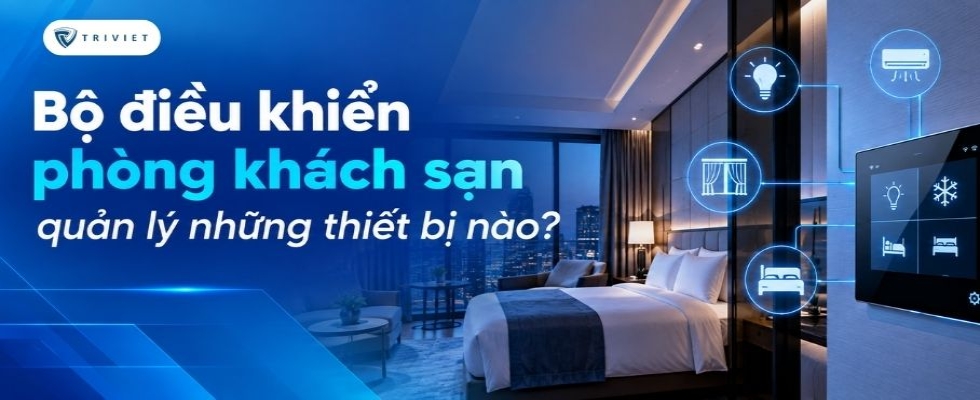
What devices can a hotel room controller manage? Learn how an RCU controls lighting, air conditioning, curtains, switches, and sensors.
A hotel room controller helps lighting, air conditioning, curtains, switches, and sensors work together according to specific operating scenarios. The device receives signals, processes control logic, and sends commands to the corresponding devices. Depending on the RCU configuration and integrated systems, the control capabilities of each room can be designed differently.
A hotel room controller, also known as an RCU (Room Control Unit), is a component of a hotel room control system. Instead of allowing each device to operate independently, the RCU receives signals and executes predefined control logic.
The basic operating flow can be illustrated as follows:
Input Devices/Sensors → RCU → Logic Processing → Output Devices
Input devices may include switches, control panels, or sensors. After receiving a signal, the RCU processes it according to the programmed logic and sends commands to lighting, curtains, air conditioning, or other connected devices.
For example, when the system determines that a guest has entered the room, a scenario can be triggered to set the lighting, air conditioning, and curtains to predefined states. The specific functions available depend on the RCU configuration and the devices integrated into the system.
Each hotel project has different requirements regarding the number of devices and level of automation. Therefore, the control scope of the RCU should be determined according to the design of each room type.
For a broader view of hotel automation solutions, businesses can also explore the Smart Hotel system for hotels before selecting a suitable RCU configuration.
Lighting is one of the systems commonly integrated into hotel room control. The RCU can connect to compatible devices to perform functions such as:
Turning lights ON/OFF.
Controlling lighting by individual areas.
Adjusting brightness if the system supports dimming.
Combining multiple lighting groups into scenes.
Instead of requiring guests to adjust each light individually, the system can use pre-programmed scenarios. For example, a relaxation scene can turn off selected lighting groups while maintaining an appropriate lighting level near the bedside.
Scene design should be based on room functionality and the guest experience the hotel intends to provide. The same configuration does not necessarily need to be applied to every room type.
Air conditioning directly affects thermal conditions in the room and energy consumption. Therefore, it is also an important element when implementing a hotel room controller.
Depending on the system architecture, the RCU can work with thermostats, FCU controllers, or related devices to:
Adjust the temperature setpoint.
Control operating status.
Change operating modes.
Control the system according to room occupancy status.
Receive temperature data from sensors.
Depending on the system architecture, the RCU can work with thermostats, FCU controllers, or related devices. RCU controllers should be selected based on the control method and HVAC equipment used in each project.
For example, when a room remains unoccupied for a specified period according to the configured logic, the system can change the air-conditioning mode instead of maintaining the same operating conditions as when the room is occupied.
The actual control method should be compatible with the type of HVAC system and air-conditioning equipment installed in the hotel.
Motorized curtains can be connected to the room control system, allowing guests to operate them through switches, control panels, or predefined scenes.
Available functions may include:
Closing curtains.
Opening curtains.
Controlling individual curtain groups.
Integrating curtain status into room scenes.
For example, in a scene designed for relaxation, the system can simultaneously close the curtains and change the lighting status. Conversely, a welcome scenario can move the curtains to a predefined position set by the hotel.
The control method depends on the motor type, actuator, and integration capabilities of the system.
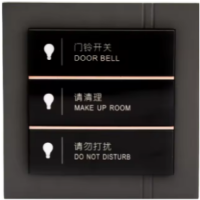
Switches and control panels provide the interface through which guests interact directly with the room control system.
Instead of each button controlling only one individual load, smart switches or touch panels can send commands to the system to perform a specific action or activate an entire scene.
Depending on the design, guests can use the control interface to:
Turn lights ON/OFF.
Select scenes.
Adjust curtains.
Adjust room temperature.
Control other integrated functions.
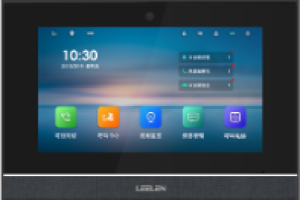
Trí Việt Controls currently provides INTERRA control devices such as the iX3, iX4, and various touch panel series for Smart Hotel systems. The control interface should be selected according to the number of functions, interior design, and operating requirements of each room.
For each room design, smart switches and sockets can be selected according to the required functions, aesthetic requirements, and control method of the system.
Sensors provide data that helps the system determine actual room conditions before executing specific control logic.
Depending on the project, the system may use:
Occupancy sensors.
Door sensors.
Temperature sensors.
Other sensors according to project requirements.
For example, a door sensor can provide open/closed status, while an occupancy sensor helps the system determine whether the room is being used. This data can be combined with other conditions so that the RCU can execute the programmed scenario.
An important point is that sensors primarily provide input data. The subsequent action depends on the control logic and the devices integrated into the system.
One advantage of a hotel room control system is that multiple devices can work together according to the same scenario instead of operating independently.
Specific scenarios are developed according to the hotel's operational requirements.
When the room status is updated according to the system configuration, connected devices can be set to predefined states in preparation for the guest's arrival.
For example, the system can prepare the air-conditioning mode or set equipment to appropriate operating states. Automatic activation depends on the integration capabilities between the RCU and the hotel management system.
Once the system determines that the room is occupied, the RCU can activate a welcome scenario.
The scenario may include multiple actions such as:
Turn on selected lighting groups → Change curtain status → Set air conditioning to occupied mode
Instead of controlling each device individually, multiple commands can be executed within the same scene.
Guests can activate a relaxation or sleep scene through a switch or control panel if this function has been configured in the system.
For example:
Activate Sleep Mode → Turn off main lights → Keep required lights on → Close curtains → Adjust devices according to the configured settings
Scenes should be designed to be simple and easy for guests to use while remaining appropriate for the actual functionality of the room.
When the system determines that the guest has left the room according to predefined conditions, selected devices can be switched to appropriate states to reduce unnecessary operation.
Depending on the configuration, the system can:
Turn off selected lighting groups.
Change the air-conditioning status.
Switch devices to standby mode.
Execute other energy-saving logic.
However, if the operating requirements demand high reliability, room occupancy status should not necessarily be determined using only a single signal. The actual logic should be designed according to the installed devices and the hotel's operating procedures.
An RCU can operate at the room level, but in hotels with many rooms, connectivity with a centralized management system allows data and room status information to be organized on a larger scale.
The architecture can be illustrated as follows:
In-Room Devices → RCU → Communication Network → Server/Management System
At the room level, the RCU receives signals and executes control logic. At the system level, required data can be exchanged with the management platform if the solution supports integration.
Depending on the architecture, the system may use communication protocols or standards such as:
KNX.
Modbus.
BACnet.
RS485.
Other protocols depending on the connected devices.
Trí Việt Controls currently provides Smart Hotel solutions that support multiple protocols for integration between system components. Specific connectivity capabilities should be verified according to each product and project architecture.
In addition, hotels that need to connect room status with centralized management platforms should consider PMS or BMS integration from the design stage. This helps avoid selecting a standalone RCU that may later be difficult to integrate with the overall management infrastructure.
This is also an important component when building a smart hotel system, where the RCU works with connected devices and management platforms to meet the operational requirements of each project.
An RCU should not be selected solely based on the number of advertised features. The device must match the electrical configuration, connected equipment, and control requirements of each room type.
The first step is to create a list of devices that are expected to connect to the RCU, such as:
How many lighting groups are there?
Is dimming required?
How many curtain motors are installed?
What control method does the air-conditioning system use?
What sensors are installed?
How many switches or control panels are used in the room?
This list provides the basis for determining the required RCU configuration.
The RCU must provide the appropriate number and types of inputs and outputs for the actual connected devices.
For example, relay outputs may be used for certain ON/OFF loads, while dimmable lighting, motors, or devices using communication protocols may require different control methods.
Therefore, an I/O list should be developed and the technical specifications should be checked before selecting the RCU.
If a room contains multiple devices from different systems, communication compatibility should be checked at an early stage.
The following questions should be addressed:
Which protocols do the connected devices use?
Which protocols does the RCU support?
Is a gateway or intermediary device required?
Does the system need to exchange data with a server, PMS, or BMS?
Identifying these requirements from the beginning helps reduce the risk of compatibility issues during system integration.
Hotels may require various scenes such as Welcome, Sleep, Reading, or other customized operating modes.
Therefore, it is important to determine whether the RCU can support the required logic and whether the program can be adjusted when operational requirements change.
Scenes should also be developed around the actual guest experience rather than automating too many unnecessary actions.
For centralized management systems, the ability of the hotel room controller to exchange data with other platforms should be evaluated.
A PMS can provide information related to room status within the scope of integration, while a BMS focuses on monitoring and managing the building's technical systems.
Integration capabilities depend on the selected platform, communication protocols, and system architecture. Therefore, this requirement should be identified during the design stage rather than added after the RCU has already been installed.
Trí Việt Controls provides hotel room controller solutions for Smart Hotel systems, including products from brands such as ACTOP and INTERRA.
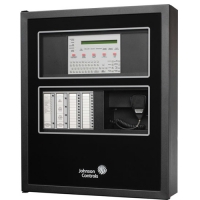
The current portfolio includes devices such as SMART HOTEL RCU – ACTOP, COMBO ACTUATOR RCU – INTERRA, and Smart Hotel Rooms RCU-ITR212 – INTERRA. In addition to RCUs, the system can integrate switches, touch panels, thermostats, servers, and related devices to build a complete hotel room control solution.
When selecting an RCU, factors such as the number of devices in the room, I/O requirements, communication protocols, scene programming requirements, and management system integration capabilities should be considered. An appropriate configuration allows connected devices to work together according to the required operating logic instead of functioning independently.
Contact Trí Việt Controls for consultation on a suitable hotel room controller based on the device configuration, control requirements, and Smart Hotel system architecture of each project.







Please leave your information, we will contact you to complete the order!